

Review · BROOKLYN BRIDGE & DUMBO TOURS
Brooklyn Bridge Self-guided Bike Tour App – Audio + Written
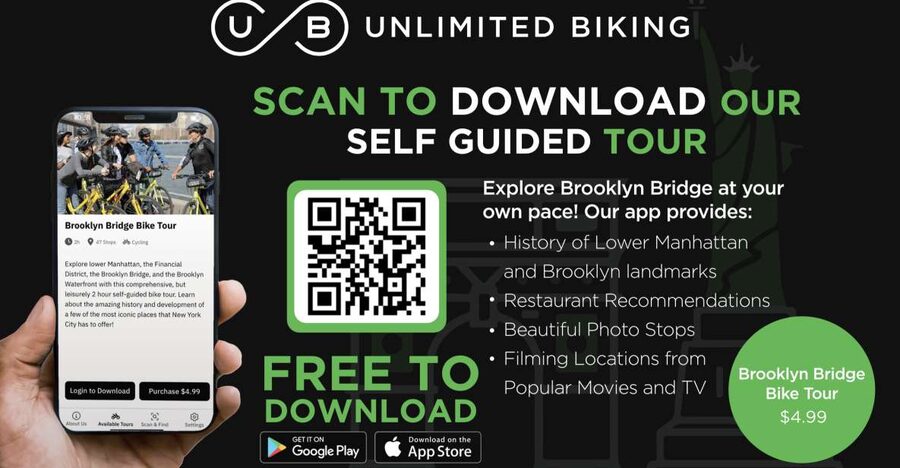
One phone, one bridge, zero guesswork. This self-guided Brooklyn Bridge tour lets you explore Lower Manhattan and Brooklyn at your pace, with audio and written stop-by-stop info that kicks in as you move. You can ride or walk, and you get photo-friendly moments plus practical suggestions to keep the trip flowing.
My favorite part is how the app mixes big sights with everyday needs, like photo ops, movie and TV locations, and built-in food and restroom stops. The possible drawback is that it depends on your phone, since it uses geo-location services, and you should plan for mobile data and battery life.
Key things I’d pay attention to before you go
- Color-coded route options so you can choose how you want to tackle the loop.
- Audio plus written stops that share brief history and fun facts at each location.
- Movie and TV location cues that help you spot recognizable scenes.
- Photo-ready stops with prompts designed for quick snapshots.
- Food recommendations along the route that make it easier to eat without derailing your day.
- Public restroom locations so you are not hunting mid-ride.
How the Brooklyn Bridge app guides you turn by turn (without controlling your pace)
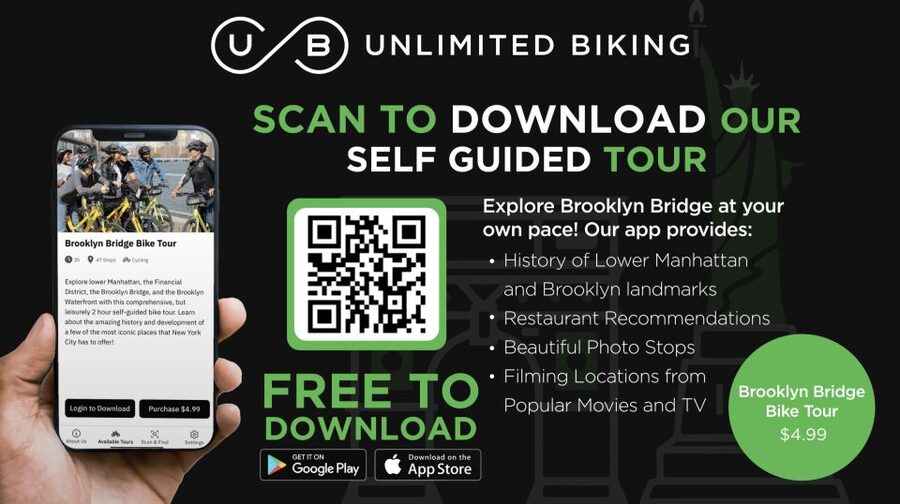
This is a self-guided experience powered by a mobile app. You download the free app, turn on location services, and then follow the tour stops as your phone detects where you are. Each stop comes with written and audio info, so you can pick whichever format is easiest while you are moving.
What I like about this setup is that it feels like a guide in your pocket, not a fixed group tour with someone yelling for everyone to keep up. If you want to linger for a skyline view, you can. If you want to move faster, you can. The route is presented on a map that is color coded, which matters because it gives you a clear visual sense of where the main path is, and where you might swap in an extra stop or two.
There is also a practical layer built in. The tour doesn’t just talk about sights. It flags photo spots, movie and TV filming locations, and also adds food and public restroom recommendations. That combination is rare for cheap digital tours, and it is why this works for people who want a smooth day, not just a checklist.
One more thing to keep in mind: this type of app experience is only as good as your phone setup. Location services have to be on, and using mobile data is recommended. If your battery is low, your best plan is to bring a charger or power bank.
You can also read our reviews of more cycling tours in New York City



Start point choices: Unlimited Biking at 79 Chambers or the Woolworth Building
Your starting point depends on how you want to get around.
If you want a rental bike, the rental is arranged through GetYourGuide. After you book, you head to Unlimited Biking at 79 Chambers Street. That gives you a simple base: get set up, then launch into the app.
If you have your own bike, or you prefer to walk the route, you can start at the Woolworth Building. Walking can be the better choice if your goal is photography and you do not want to constantly decide where to pause and where to coast.
This matters because the Brooklyn Bridge experience is all about timing your transitions. Whether you ride or walk, you’ll want the first ten minutes to feel un-rushed, so you can learn how the app prompts each stop. Once you understand how the audio and written sections appear, the rest of the tour becomes easier. It also helps if you start with location services already on and the app open before you hit the route.
If you are new to self-guided tours, this start-point flexibility is a big deal. You can match the plan to your day, instead of shoehorning your trip into someone else’s pace.
Lower Manhattan stops: brief history, fun facts, and quick visual wins
On the Lower Manhattan side, the app focuses on notable locations along the primary route. Each stop includes a brief history, plus fun facts, delivered as both written and audio content. The goal is not a lecture. It is short, readable context that helps you understand what you are looking at and why it matters.
I love that the information is designed for motion. You are not stuck reading a wall of text at one spot for ten minutes. Instead, you get enough background to make the skyline and architecture feel less random. It is like turning on a layer of meaning while you move.
The app also tags some stops for beauty and photo appeal. That means you can plan a clean rhythm: ride or walk for a few minutes, then stop briefly for a view, then go again. Even if you are not a serious photographer, these prompts help you avoid the common problem of missing the best angles because you were focused on getting to the next block.
You will also see built-in guidance for photo ops. That is useful because the Brooklyn Bridge is famous for its viewpoints, but the best angle can change depending on what side you are on and how you are positioned. The app’s stop-by-stop approach makes it easier to find those spots without guessing.
A quick practical tip: when the app switches from walking to audio, give yourself permission to pull over safely. Do not try to read tiny text while weaving through traffic or crowds. Let the phone guide you to the moment, then pause just long enough to take it in.
Brooklyn Bridge crossing: audio cues, movie locations, and photo stops that actually help
The Brooklyn Bridge is the headline, and the app treats the crossing as more than a transit strip. As you move along, you get audio and written info tied to locations on the route. That pacing turns the bridge from just an impressive walk into an experience with built-in moments.
One of the most fun elements is the movie and TV location component. The tour points out recognizable filming spots, tied to iconic scenes and big stars. You do not need to be a film trivia expert to enjoy this. If you love spotting familiar settings, it adds a second layer to your photos, because now you are not only capturing views, you are also connecting the place to stories you have already seen.
The app also builds in photo-focused stops. That matters on the bridge, because the lighting and sightlines can be tricky. You might think you already found a great view, then the next stop gives you a better one, slightly different angle, different skyline alignment. Having a guided sequence helps you catch those improvements without wandering for too long.
If you plan to bike, treat the crossing like a steady ride with planned stops rather than a constant stop-and-start. Audio is great for “moving” moments, but the most comfortable way to use the app is to let the audio lead you to a place, then pause briefly to take photos and read the written notes.
If you plan to walk, you can slow down even more. Walking gives you the chance to enjoy the photo ops without the constant decision-making that comes with cycling. Either way, you get the same core advantage: you are less likely to miss the best viewpoints because you were trying to navigate by memory.
Heading into Brooklyn: beauty stops, food recs, and a route that keeps you moving
Once you reach the Brooklyn side, the app continues with stops designed around Lower Manhattan and Brooklyn highlights. You still get written and audio content at each location, including brief history and fun facts. The tone stays practical: quick context so the scenery feels connected, not random.
This is where I like the self-guided structure most. Traditional guided tours often push a single pace, but Brooklyn rewards curiosity. The map being color coded helps you “choose your own adventure” in a clean way, which is helpful if you want more photo breaks or you want to skip a stop and keep moving.
Food recommendations and public restroom locations become more valuable here. Walking and biking on a route like this can work up real hunger and also create a “where can we go?” problem. The app tries to solve that by building in food picks and restroom locations along the route. If you are planning a long afternoon, that practical planning can save you time, stress, and detours.
The Brooklyn side also tends to feel more like exploring neighborhoods, even though the experience is still guided. You get the satisfaction of crossing the bridge, then switching from “big landmark mode” into “local wandering mode.” That balance makes the day feel more complete, especially if you are combining this with other sights in the city.
You can also read our reviews of more guided tours in New York City






Photo ops, food picks, and restroom locations that keep the day practical
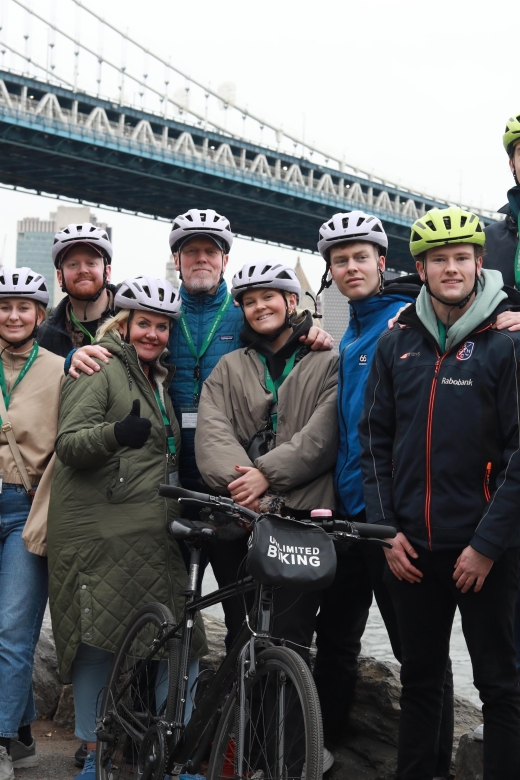
This is a digital tour, so it is worth asking: does it help beyond sightseeing? In my view, yes, because it focuses on three things that often make or break a self-guided day: photos, food, and bathrooms.
Photo ops are not just vague inspiration. The app flags stops notable for beauty and photo appeal, including prompts where you can take a snapshot and share it if you want. That turns the phone into a tool, not just a history book.
Food recommendations along the route are especially useful in a big-city setting where choices are endless but time is limited. If you are riding or walking, you want meals that do not require a long detour. The app’s built-in suggestions help you keep your route flow.
Restrooms matter more than people think. The app includes locations for public restrooms along the tour. That reduces the last-minute panic that can derail a half day or longer. It also makes the experience feel smoother if you are traveling with kids, or if you simply do not want to keep searching.
My advice: use these built-in recommendations like checkpoints, not last-minute fixes. When the app tells you about a food stop or restroom, glance ahead so you are not forced to make rushed decisions.
Price, access window, and value of a $5 app you can reuse
At $5 per person, this is priced like an impulse-friendly add-on, but it is also a ticket to flexible exploring. The big value lever is time access: it is valid for 365 days from your first activation. That means you are not buying a single ride. You are buying the ability to use the tour again another day if your schedule changes.
You also do not have to buy multiple times for a group. The purchase provides a code that can be used by all members of your group. If you have more than one person exploring, you can buy for one customer and have everyone use that code on their phones. That is a quiet win for families and friend groups because the per-person price becomes even easier to justify.
There is one tradeoff, and it is the usual one with app-based travel. You rely on your device and on geo-location. A data plan is recommended. If you forget to turn on location services or your battery dies, the experience can lose its magic.
Also, the activity is non-refundable. That is typical for digital experiences, and it is worth treating the $5 like a small, low-risk purchase. But it still means you should activate and test the app before you count on it for a big day.
If you want a simple, affordable way to explore the Brooklyn Bridge and surrounding areas with room for stops and photos, this is a strong value.
Who should book this self-guided bridge route
This tour fits best if you like control. If you hate waiting for a group, if you prefer to stop for photos without negotiating with a schedule, and if you want an easy layer of context, you will probably enjoy it.
It is also a good choice for first-timers because it helps you stay oriented while you move. The app’s stop-by-stop format, plus practical restroom and food options, makes it easier to manage a day on foot or by bike.
It might not be the best fit if you dislike phone-based navigation or if you know your signal and battery are unreliable. Since the tour uses geo-location services, you need your phone to cooperate.
It is listed as wheelchair accessible, and because it is self-guided, you can set a pace that works for you.
Should you book the Brooklyn Bridge self-guided bike tour app?
I’d book it if you want an affordable way to get more from the Brooklyn Bridge without signing up for a rigid group tour. The mix of audio plus written stops, movie and TV location cues, and practical food and restroom help makes it useful all the way through the ride or walk.
Skip it only if you know you will not use geo-location well, or you do not want to depend on mobile data and battery. For most people, that is manageable with a charged phone and location services turned on before you start.
If you are planning one day where the bridge is the centerpiece and you want Lower Manhattan and Brooklyn to feel connected, this app is a smart buy at $5, especially with the 365-day access window.
FAQ
Do I need to rent a bike to do the Brooklyn Bridge tour?
No. The tour can be done on a bike or on foot. If you want to rent a bike, you can purchase the rental on GetYourGuide and then go to Unlimited Biking at 79 Chambers Street.
Where do I start if I want to walk instead of renting a bike?
You can begin at the Woolworth Building if you have your own bikes or prefer to walk the tour route.
How does the app purchase work?
You download the free app. After you purchase through GetYourGuide, you receive a code that can be used to waive the in-app tour purchase.
Does one code work for a group?
Yes. Purchasing provides a code that can be used by all members of your group. If you have more than one explorer, you can purchase for one customer and all can use the code on their phones.
What do I need on my phone to use the tour?
You need to enable geo-location services. A data plan is recommended for using the application.
Is it available on both iPhone and Android?
Yes. The app is available for Android and iPhone users.
What is included, and what is not included?
Included is the self-guided Brooklyn Bridge bike tour in the Unlimited Biking Tour app with geo-location services. Not included is the use of a bicycle, a helmet, or a bike lock.
How long is the tour valid, and is it refundable?
It is valid for 365 days from first activation. The activity is non-refundable.
More Cycling Tours in New York City



More Tours in New York City




More Tour Reviews in New York City




Not for you? Here's more nearby things to do in New York City we have reviewed












More Brooklyn Bridge & DUMBO Tours to consider.
 ★ 5.0Brooklyn Bridge & DUMBO Neighborhood Tour – from Manhattan to BrooklynTickets from $49826 traveller reviews
 ★ 5.0Brooklyn Bridge & DUMBO Food Tour: Local Eats & LandmarksTickets from $69478 traveller reviews
 ★ 4.4From Manhattan: 2-Hour Brooklyn Bridge Bike TourTickets from $59230 traveller reviews
 ★ 5.0Walking tour in Manhattan Brooklyn Bridge and WaterfrontTickets from $29222 traveller reviews
 ★ 4.7Brooklyn Bridge and Dumbo District Walking TourTickets from $49200 traveller reviews
 ★ 4.5Brooklyn Bridge and Dumbo Guided Walking TourTickets from $34186 traveller reviews
 ★ 4.5Brooklyn Bridge and Waterfront 2-hour Guided Bike TourTickets from $59184 traveller reviews
 ★ 5.0Brooklyn Bridge Waterfront Guided Bike TourTickets from $59126 traveller reviews
More useful New York routes